A-RYTH-MATIK Firmware

A-RYTH-MATIK Firmware Collection#
The A-RYTH-MATIK is a versatile 6-channel gate/trigger generator based on the Hagiwo design. Choose from multiple firmware options below, each offering a unique approach to rhythm generation.
Hardware: Arduino Nano · OLED Display (SSD1306) · Rotary Encoder · 6 Output Channels
Euclidean Rhythms#
Features
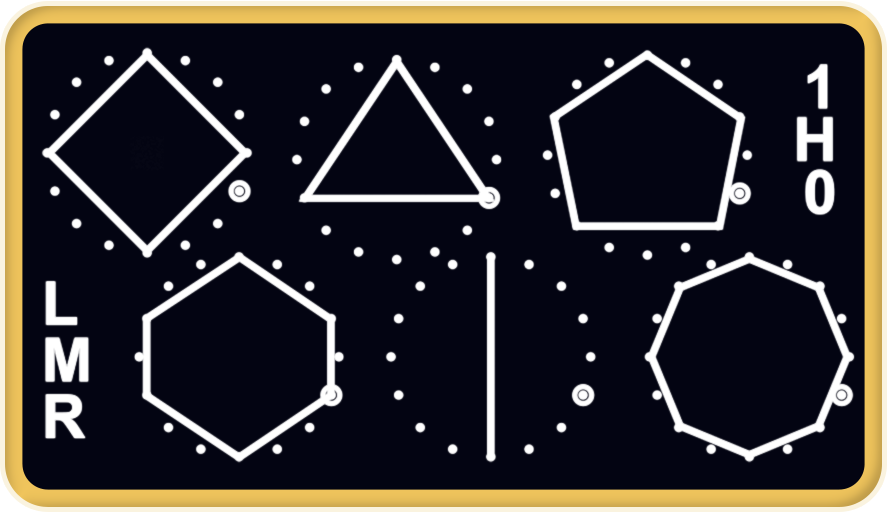
- 6 independent Euclidean rhythm generators
- Adjustable steps, hits, rotation, and rest per channel
- Multiple output modes: trigger, gate, flip
- Save/load patterns to memory banks
- Individual channel reset and randomization
- Interactive OLED with visual feedback
Perfect for: Mathematical polyrhythms, complex evolving patterns, generative music
Controls:
- Encoder Short Press: Toggle between menu options
- Encoder Long Press: Access global settings
- Encoder Double Click: Reset all patterns
- CLK Input: Clock source to advance patterns
- RST Input: Reset all patterns to first step
Buds#
Features
- Organic, evolving gate sequences
- Algorithmic pattern generation
- Probability-based gate generation
- Visual feedback on OLED display
- Patterns grow and mutate over time
Perfect for: Generative patches, organic rhythms, evolving patterns
Controls:
- Encoder: Adjust evolution parameters
- CLK Input: Clock source
- RST Input: Reset pattern evolution
Stitch Sequencer#
Features
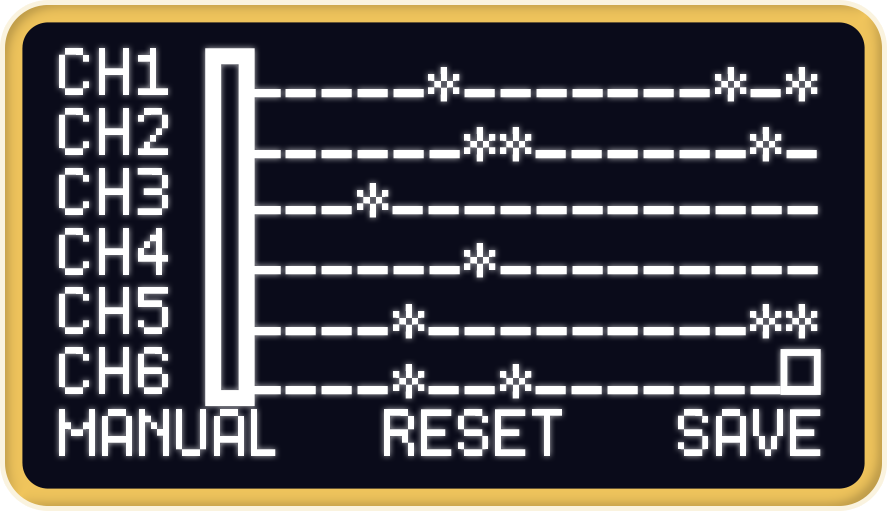
- Classic step sequencer with 6 channels
- Per-step gate on/off control
- Visual step display
Perfect for: Traditional EDM patterns, hands-on control, performance oriented
Controls:
- Encoder: Navigate and edit sequence steps
- CLK Input: Advance sequencer
- RST Input: Return to first step
Gate Sequencer#
Features
- Classic step sequencer with 6 channels
- Per-step gate on/off control
- Adjustable pattern length
- Step probability control
- Save/load sequences
- Visual step display
Perfect for: Traditional sequencing, rhythmic patterns, hands-on control
Controls:
- Encoder: Navigate and edit sequence steps
- CLK Input: Advance sequencer
- RST Input: Return to first step
Pong#
Features
- Physics-based rhythm generation
- Multiple balls with different speeds
- Adjustable gravity and bounce parameters
- Visual representation on display
- Chaotic yet musical patterns
Perfect for: Experimental rhythms, chaotic patterns, visual performance
Controls:
- Encoder: Adjust physics parameters
- CLK Input: Update ball physics
- RST Input: Reset ball positions
Labor (Experimental)#
Features
- Multiple experimental rhythm algorithms
- Deep parameter control
- Modulation options
- Research-focused feature set
- Bleeding-edge algorithms
Perfect for: Experimentation, discovering new rhythms, research
Controls:
- Encoder: Navigate experimental parameters
- CLK Input: Clock source
- RST Input: Reset current algorithm
Hardware Requirements#
- Arduino Nano or Arduino Nano (Old Bootloader)
- OLED Display: SSD1306, 128x64 pixels, I2C
- Rotary Encoder with push button
- 6 output channels with LED indicators
- Clock (CLK) and Reset (RST) inputs
Installation Instructions#
1. Connect Your Module#
- Connect your Arduino Nano to your computer via USB
- Ensure the module is powered
2. Select Firmware#
- Choose the firmware that matches your needs above
- Click the appropriate button (Nano or Old Bootloader)
3. Flash Firmware#
- Your browser will prompt you to select the serial port
- Select the port corresponding to your Arduino
- Wait for the upload to complete (typically 10-30 seconds)
4. Verify#
- The module should boot up with the new firmware
- Check the OLED display for confirmation
Encoder Direction#
Some modules have reversed encoder direction. If rotating the encoder moves parameters in the opposite direction than expected, use the “Reversed” firmware variants.
Troubleshooting#
Upload fails:
- Ensure you’re using Chrome, Edge, or Opera (Web Serial API required)
- Try unplugging and reconnecting the USB cable
- Check that no other software (Arduino IDE, serial monitor) is using the port
Module doesn’t respond:
- Check power connections
- Verify correct board selection (Nano vs Old Bootloader)
- Try the opposite bootloader version
Wrong encoder direction:
- Use the reversed encoder firmware variant
Resources#
- GitHub Repository - Source code
- Build Guide & Schematic - Assembly instructions
- Quick Start PDF - Hardware guide
- Report Issues - Bug reports and feature requests
Based on the Hagiwo design · Enhanced by the Modulove community